Wallpaper 3D Live
- 4.6
- Rating
- 10.00M
- Installs
- Free
- Price

 Analysis by App-foxy
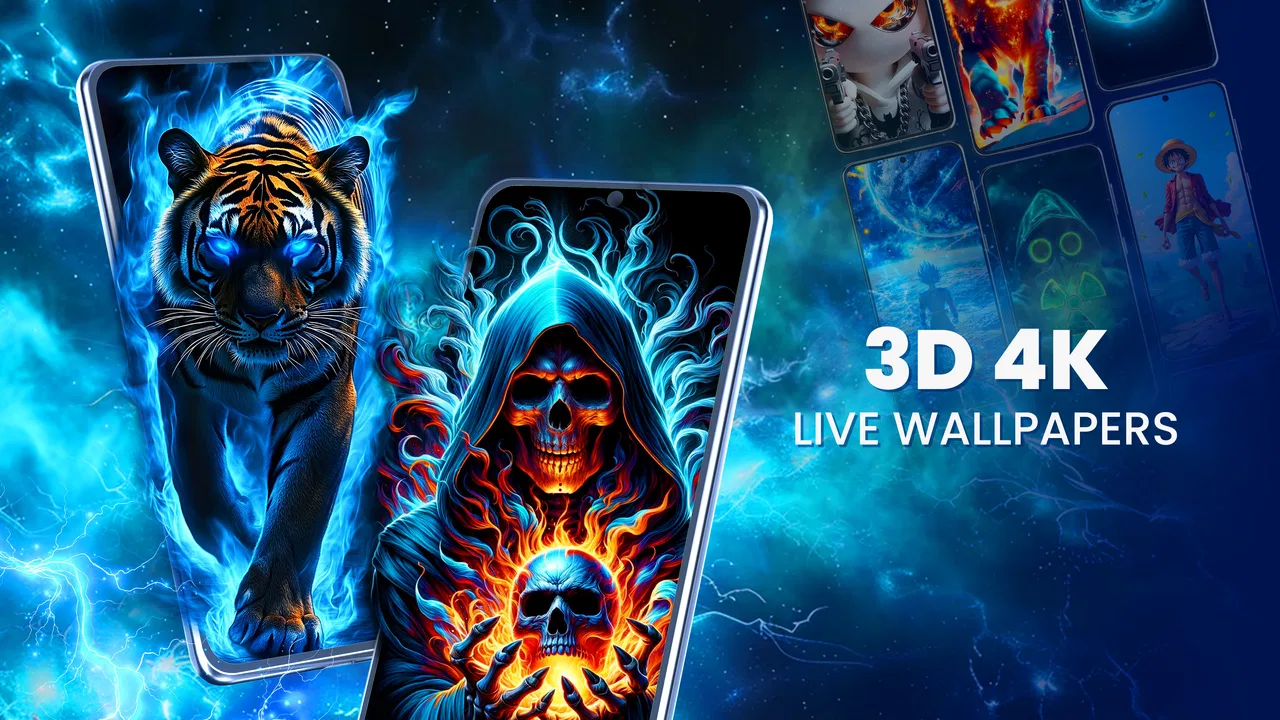
I tried Wallpaper 3D Live as a way to make an Android home screen feel less static without turning the phone into a complicated customization project. It belongs to the personalization category, and its focus is straightforward: moving wallpapers with a 3D look, including options presented in HD and 4K. My first impression was that it is aimed at people who want a visual change they can see immediately, rather than users looking for a complete launcher replacement or a deeply technical theming system.
The app is free to install, which makes it easy to test before deciding whether it deserves a permanent place on your phone. It is made by VideoRoom Editor, carries an Everyone content rating, and works on Android 8.0 and later. The current version is 3.1.4. I also noticed that the app has reached over five million installs and holds a 4.4 average from around twenty-nine thousand ratings, so it is not an obscure experiment with no established audience.
What to expect from the wallpaper experience
The main appeal is the sense of depth and motion. A still image can make a phone look cleaner, but a 3D live wallpaper changes the feeling every time I return to the home screen. Wallpaper 3D Live is built around that small moment of visual movement. It is especially suitable for someone who finds ordinary wallpaper collections repetitive and wants a more noticeable result without manually editing images.
You May Also Like

 Blood Strike: 2.5 Anniversary
Blood Strike’s Loadouts Turn Every Drop Into a Tactical Gamble
A close look at Blood Strike’s custom loadouts: how fast access to signature weapons reshapes its battle royale rhythm, rewards preparation, and narrows the gap between fights.

 Pandora - Music & Podcasts
Pandora’s Music Is Easy to Start, but Harder to Recover
Pandora’s strength is its low-effort path from a seed to a station. Its weak spot is how much confidence it asks you to place in connection, setup, and quiet recovery.

 8 Ball Pool
 Is Built on Rivalries, Rematches, and Routine
A close look at the rivalries, rematches, shared routines, and unanswered safety questions that turn a quick pool match into a persistent mobile community.

 Samsung Music
’s Quiet Strength Is Playing What You Already Own
Its reach comes less from spectacle than from dependable access to a personal library. That simplicity is both the app’s strongest retention engine and its ceiling.

 AccuWeather: Weather Radar
AccuWeather Review: A Quick, Clear Forecast for Everyday Decisions
For everyday plans, the best forecast is the one you can understand quickly. AccuWeather makes rain timing, radar, and local conditions easy to act on, with a few trade-offs.

 Hill Climb Racing
Why Hill Climb Racing Still Turns Crashes Into One More Run
A tiny car, a bumpy hill and one more upgrade: Hill Climb Racing keeps resurfacing because its simple chaos makes every near-miss feel personal.
More From Our News Desk



I would set expectations carefully, though. This is a wallpaper app, not a replacement for the phone’s interface. It does not turn the home screen into a new operating system, and it should not be chosen by someone whose priority is advanced icon packs, custom widgets, or a full launcher overhaul. Its value is narrower and easier to understand: choose a moving background, apply it, and enjoy a more animated screen.
The “4K” and “HD” presentation sounds attractive, but the quality you actually see depends on the phone’s display, the selected wallpaper, and how much motion the scene uses. On a modern high-resolution screen, detailed designs can look impressive. On an older or lower-resolution device, the difference between a high-quality moving background and a regular image may be less dramatic. I found that composition matters as much as resolution: a beautiful scene can become distracting if it competes with app icons.
That is the first useful decision to make. If your home screen contains only a few icons, a vivid animated background may look balanced. If you have several pages packed with folders and widgets, a calmer design is usually more practical. I prefer motion that supports the layout rather than constantly pulling my eyes away from it.
Who will enjoy it most
This app makes the most sense for people who like changing their phone’s appearance often, fans of animated backgrounds, and anyone who wants a quick visual refresh before a trip, a new season, or a personal milestone. It can also work well on a secondary device where appearance matters more than squeezing out every possible bit of battery life.
I would be more cautious if you use an older phone, keep battery usage tightly controlled, or prefer a completely quiet interface. Live wallpapers can feel unnecessary when your priority is endurance and simplicity. A regular static wallpaper from the phone gallery may be the better choice in that situation. The same is true if you want to use your own photographs as the central feature and do not care about ready-made 3D scenes.
Getting through the first setup
For a first-time user, I recommend approaching the app with one goal: reach a wallpaper you genuinely want to see every day. Install it, open the available choices, and resist the temptation to judge everything from the first preview. The most useful test is how the design looks behind your actual icons, not how dramatic it appears in a full-screen preview.
Start with a scene that has a clear area where your icons can sit. Darker or less detailed sections often make text and symbols easier to read. If you choose a background filled with bright highlights directly behind your icons, the home screen can become attractive but inconvenient. I learned to treat the preview as a composition tool rather than merely a catalogue: imagine the clock, folders, and dock on top of it before applying anything.
The app is free, but in-app purchases range from ten cents to forty-nine dollars and ninety-nine cents per item. That is worth remembering while browsing. A free installation does not necessarily mean every visual option follows the same model. I would first explore the no-cost choices and decide whether the basic experience is already enough. If it is, there is no reason to buy anything simply because a premium-looking option catches your eye.
Another practical point is to check the final result on both the lock screen and the home screen if your phone gives you that choice. A design that looks excellent behind icons may feel too busy on a lock screen, where notifications and clock elements can overlap the most interesting part of the image. Choosing the placement that keeps the main subject visible makes the wallpaper feel more intentional.
The first successful action
The first meaningful success is not just opening a preview. It is applying one wallpaper and then using the phone normally for a few minutes. I suggest opening your most-used apps, returning to the home screen, checking a notification, and switching between pages. This reveals whether the motion is pleasant or whether it becomes visual noise during ordinary use.
I also recommend testing the wallpaper while the phone is idle for a short period. Some animated designs are enjoyable when you are actively looking at them but less comfortable when they keep moving at the edge of your attention. A subtle scene can age better than the most spectacular one. My preferred choice was not necessarily the one with the strongest 3D effect; it was the one that still looked good after repeated returns to the home screen.
When the first result works, leave it in place for a day instead of changing it immediately. That gives you a better sense of whether you like the design as part of your routine. Wallpaper is easy to replace, but a little patience helps separate a genuinely useful customization from a novelty that loses its appeal after a few minutes.
How to choose motion without sacrificing readability
The best-looking background is not always the best everyday background. I look for three things: a subject that does not sit directly under the main icons, enough contrast for labels, and movement that does not make the entire screen feel restless. If a scene contains a bright central object, I try to keep the most important shortcuts away from that area by rearranging the home screen where possible.
This is one of the app’s less obvious trade-offs. More visual detail can make a wallpaper seem richer in a preview, but it can also make the phone feel cluttered. A simpler design may show the 3D effect more clearly because there are fewer competing elements. I would rather have a background that makes my icons easier to find than one that looks impressive for the first ten seconds.
For a work phone, I would choose a restrained design with low visual competition. For a personal phone, I might use something more expressive on the first page and keep later pages simpler. That arrangement gives the customization a clear place without forcing every screen to carry the same amount of motion.
Common confusion and the limits I noticed
The most likely confusion is expecting every wallpaper to feel equally three-dimensional. The 3D effect depends on the artwork and its movement style, so some choices will feel more immersive than others. I would not dismiss the app after seeing one design that feels flat. Instead, compare several previews and pay attention to how the depth is arranged around the icons.
Another point is that a moving wallpaper is not the same as a video playing continuously in the foreground. The experience is designed as a background, so the effect is most noticeable when returning to the home screen or looking at the phone between tasks. If you are expecting a highly interactive scene with game-like controls, this is probably not the right type of personalization tool.
Performance is also a sensible concern. I did not treat the advertised image quality as a promise that every device will display it identically. Phones differ in screen resolution, graphics capability, and system behavior. If your device feels warmer, less responsive, or less efficient after applying a particularly elaborate wallpaper, switch to a simpler design and compare the experience. That is a more useful test than assuming the most detailed option must be the best one.
Battery-conscious users should think about the trade-off before making a live wallpaper part of their daily setup. I would avoid using one on a phone that is already struggling to last through the day, especially if appearance is not important to you. In that case, a static image is the sensible alternative. Wallpaper 3D Live is about atmosphere, and atmosphere is not worth much if it makes the phone less comfortable to use.
The purchase model may also cause hesitation. Because the app is free to download while offering individual in-app purchases, I suggest deciding on a budget before exploring every available design. The upper end of the listed per-item range is substantial compared with a simple wallpaper download. I would only spend money after using the free experience long enough to know that the app’s style matches your taste and that you will keep the chosen background.
There is a second comparison worth making with the usual alternatives. A phone’s built-in wallpaper picker is generally simpler and may be preferable when you want a static image with minimal setup. Dedicated live-wallpaper apps can sometimes offer more specialized controls, while launcher-based customization tools are better for changing icons, grids, gestures, and widgets. Wallpaper 3D Live sits between those options: more visually focused than a standard gallery, but less comprehensive than a full customization suite.
Everyday scenarios where it earns its place
Imagine checking your phone during a commute. You unlock it to read a message, return to the home screen, and see a subtle scene shift behind your shortcuts. That small change can make a familiar device feel less dull without requiring any extra action. For this kind of quick, repeated interaction, the app’s strength is immediate visual feedback.
It can also be useful before hosting an event or giving a phone to someone as a temporary personal device. A carefully chosen background communicates personality faster than a long list of settings. I would use a calmer design for a phone shared with family members, because an overly dramatic background can make basic navigation harder for people who are not used to animated interfaces.
For photography enthusiasts, the app may be less satisfying if the goal is to display personal memories. In that case, a static photo wallpaper or a tool dedicated to turning your own media into backgrounds may offer a more meaningful result. The appeal here is the ready-to-use 3D presentation, not necessarily personal storytelling.
What to do after the first day
Once you have found a wallpaper that works, the next step is to refine the surrounding home screen rather than endlessly browsing. Move the most important icons away from the busiest visual area, remove shortcuts you rarely use, and see whether the wallpaper now feels clearer. This simple adjustment often improves the result more than choosing a higher-resolution scene.
I would also keep a practical fallback in mind. If you travel, enter a low-battery situation, or need maximum simplicity for work, switch back to a static wallpaper. The ability to enjoy animation does not mean you have to use it permanently. Treating the live background as an occasional style choice makes it more valuable and prevents the novelty from becoming tiring.
Version 3.1.4 gives current users a clear point of reference when checking compatibility and troubleshooting, while the Android 8.0 minimum means the app is accessible to a broad range of devices. The Everyone rating makes it suitable for general audiences, although parents may still prefer to guide younger users around optional purchases, as they would with any free app that includes paid items.
My overall view is positive, with sensible limits. Wallpaper 3D Live is best when you want a fast, visible change to your Android home screen and are willing to balance visual impact with everyday readability. It is not the right choice for a battery-first setup, a fully custom launcher, or a personal photo workflow. For everyone else, I would install it, test several calmer and more detailed designs against the real home screen, and keep only the one that remains pleasant after normal use. That approach makes the app feel like useful personalization rather than a short-lived visual trick.
After trying it, I would recommend starting free, applying one design for a full day, and paying attention to comfort before considering any optional purchase. The app’s strongest result comes from matching the wallpaper to your icon layout and routine. When that match is right, Wallpaper 3D Live gives an ordinary phone a more personal character with very little effort.
FAQs for Wallpaper 3D Live
01What is Wallpaper 3D Live and how does it work?
Wallpaper 3D Live is an application that provides dynamic and interactive 3D wallpapers for your smartphone. It uses advanced graphics to render realistic animations, making your home screen visually appealing. Users can choose from a wide variety of themes and customize the animations to match their preferences.
02Does Wallpaper 3D Live affect battery life?
Yes, as with most live wallpaper apps, Wallpaper 3D Live may have an impact on battery life. The app uses the device's graphics processor to render animations, which can consume more power than static wallpapers. However, the app includes settings to optimize performance and minimize battery usage.
03Is Wallpaper 3D Live compatible with all devices?
Wallpaper 3D Live is compatible with most modern Android and iOS devices. However, older devices with limited hardware capabilities might not support the app's advanced graphics features. It's recommended to check the app requirements and ensure your device meets the necessary specifications before downloading.
04Can I customize the wallpapers in Wallpaper 3D Live?
Yes, Wallpaper 3D Live offers extensive customization options. Users can modify various elements such as color schemes, animation speed, and interactive features. The app also allows you to create personalized themes by combining different elements, ensuring a unique look for your device.
05Is Wallpaper 3D Live free to use?
Wallpaper 3D Live offers a free version with basic features and a selection of wallpapers. However, for access to premium content, additional themes, and advanced customization options, users may need to purchase a subscription or make in-app purchases. The pricing details are available in the app store description.
Pros
- Vibrant 3D effects enhance screen aesthetics.
- Customizable themes to suit personal style.
- Smooth performance without lag on most devices.
- Regular updates with new designs and features.
- Low battery consumption for a live wallpaper.
Cons
- Limited free designs; most require purchase.
- Some designs may not fit all screen sizes.
- Occasional ads in the free version.
- Requires internet for downloading new themes.
- May not support older OS versions.

Wallpaper 3D Live
Gallery